Menu
Your Cart
Take a look at the references of more than 60 OpenCart webshops we have completed so far!

Online Withdrawal Module for OpenCart 2.3

Online Withdrawal Module for OpenCart 2.3
New
Online Withdrawal Module for OpenCart 2.3
19,990 Ft
Ex Tax: 15,740 Ft
  • Model: elallas-oc23
  • Opencart version: 2.3.x.x

Available Options

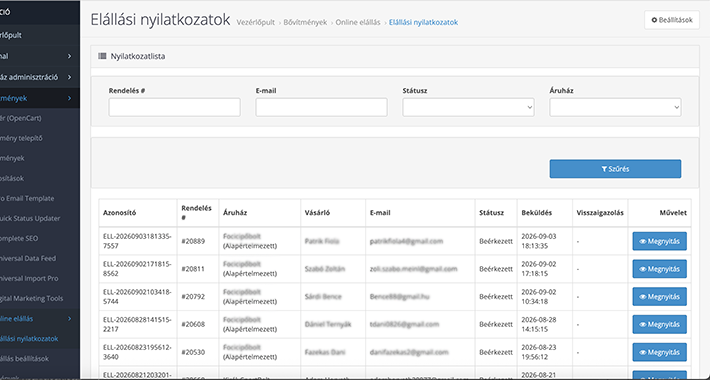
Online withdrawal management interface
shopshine.eu

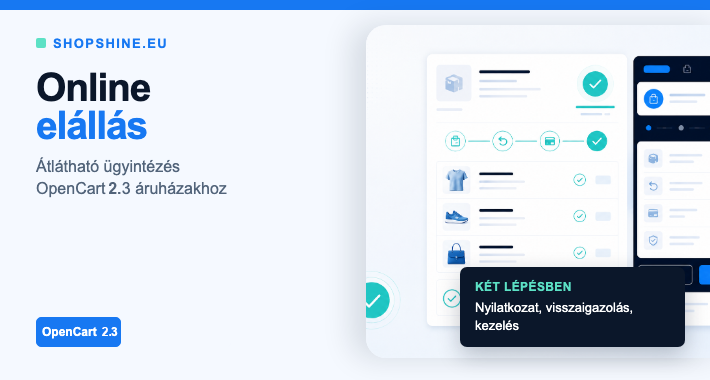
Online withdrawal
for OpenCart 2.3

A clear two-step withdrawal
workflow with customer confirmations
and practical admin-side handling.

OpenCart 2.3.x.x

Organised handling

Make withdrawal requests a working part of your store.

Shopshine Online Withdrawal OC2.3 adds a dedicated withdrawal page, customer and store notifications, and searchable administration to an OpenCart 2.3 store.

01

Two-step request

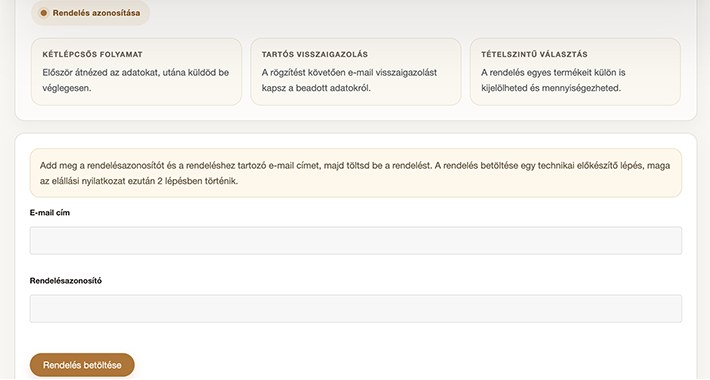
The customer identifies the order with its order number and email address, then confirms the request.
02

Full or item-level withdrawal

Customers can select the entire order or individual products with the relevant quantities.

03

Instant confirmation

The customer receives an acknowledgement email and the store receives a separate new-request notification.

04

Admin handling

A searchable list, detailed request view and status handling keep daily work straightforward.

05

Secure data

Every declaration gets a unique reference; order-email matching and optional Turnstile protection are available.

06

Multistore ready

Works in multistore setups, and previously submitted requests stay stored through updates.

Simple flow

A clear path for everyone involved.

1. IdentifyThe customer finds the order using its order number and email address.
2. SelectThey select the relevant products and quantities.
3. ConfirmThe request receives a unique reference and confirmation email.
4. HandleThe store manages the status, searches requests and can notify the customer.

Compatibility

A dedicated OpenCart 2.3 product.

OpenCart 2.3.x.xPHP 5.6MultistoreHU and EN
Informations
Opencart version2.3.x.x

OpenCart 2.3.x.x module developed in Hungary for implementing the online withdrawal process required from June 19, 2026. The module handles customer withdrawal submissions, confirmation emails, and administration of withdrawal requests in the OpenCart admin panel.

The module is not simply a contact form, but a complete online withdrawal process integrated directly into the webshop:

- dedicated frontend withdrawal page
- identification based on order number and email address
- support for guest customers
- support for registered customers
- withdrawal for individual order items
- quantity management
- automatically generated unique identifier for each withdrawal request
- customer confirmation email
- store administrator notification email
- withdrawal request list and detailed view in the admin panel
- admin status management
- customer notification emails when the status changes
- image upload option
- optional Cloudflare Turnstile protection
- multistore support
- shopshine.eu license verification

Key Features

- Customers can retrieve their order using the order number and the email address associated with the order.
- The module supports both full-order and individual-item withdrawals.
- Customers receive a confirmation email after submitting a withdrawal request.
- The webshop receives a separate notification email when a new withdrawal request is submitted.
- A searchable list and detailed withdrawal request view in the admin panel help streamline administration.
- Separate email notifications can be sent to customers when the status of their withdrawal request changes.
- A custom privacy policy / data processing notice can be configured within the module.

Compatibility

- OpenCart 2.3.x.x (separate modules are available for OpenCart 3 and OpenCart 4; please make sure that this module is compatible with your OpenCart version before purchasing)
- PHP 5.6
- default OpenCart theme
- multistore environments
- Journal 3.1 / 3.2 can be used with a custom link

Journal and Custom Themes

With the default OpenCart theme, the module's automatic link integration works automatically. When using Journal or another custom theme, creating a custom link is recommended.

Installation

1. Install the `.ocmod.zip` package under `Extensions > Installer`.
2. Refresh modifications under `Extensions > Modifications`.
3. Open `Extensions > Extensions > Modules`, then install the `Online Withdrawal` module.
4. Enter your license key and click the `Verify License` button.
5. Save the settings.

Frontend route: `index.php?route=extension/module/elallas`

When using Journal or another custom theme, create a custom menu link pointing to this route.

Updating or uninstalling the module does not delete withdrawal requests, attachments, or license settings.

Important Notes

- A valid license is required to use the module. (The license key will be sent by email after purchase.)
- Order number and email address matching can be enabled as a security feature and is enabled by default.
- Cloudflare Turnstile protection is optional; the module can also be used without CAPTCHA.
- Withdrawal data is retained in the system, so previously submitted withdrawal requests are not lost when the module is updated.

Also recommended for stores already using a third-party consumer withdrawal solution

The module can also be useful for stores that already use an external withdrawal solution, as it manages withdrawal requests directly within the OpenCart administration interface, providing faster and more transparent internal processing.

Write a review

Please login or register to review
We use cookies and other similar technologies to improve your browsing experience and the functionality of our site. Privacy Policy.